


 Telegram
Robot fleet management software for dealers and service companies
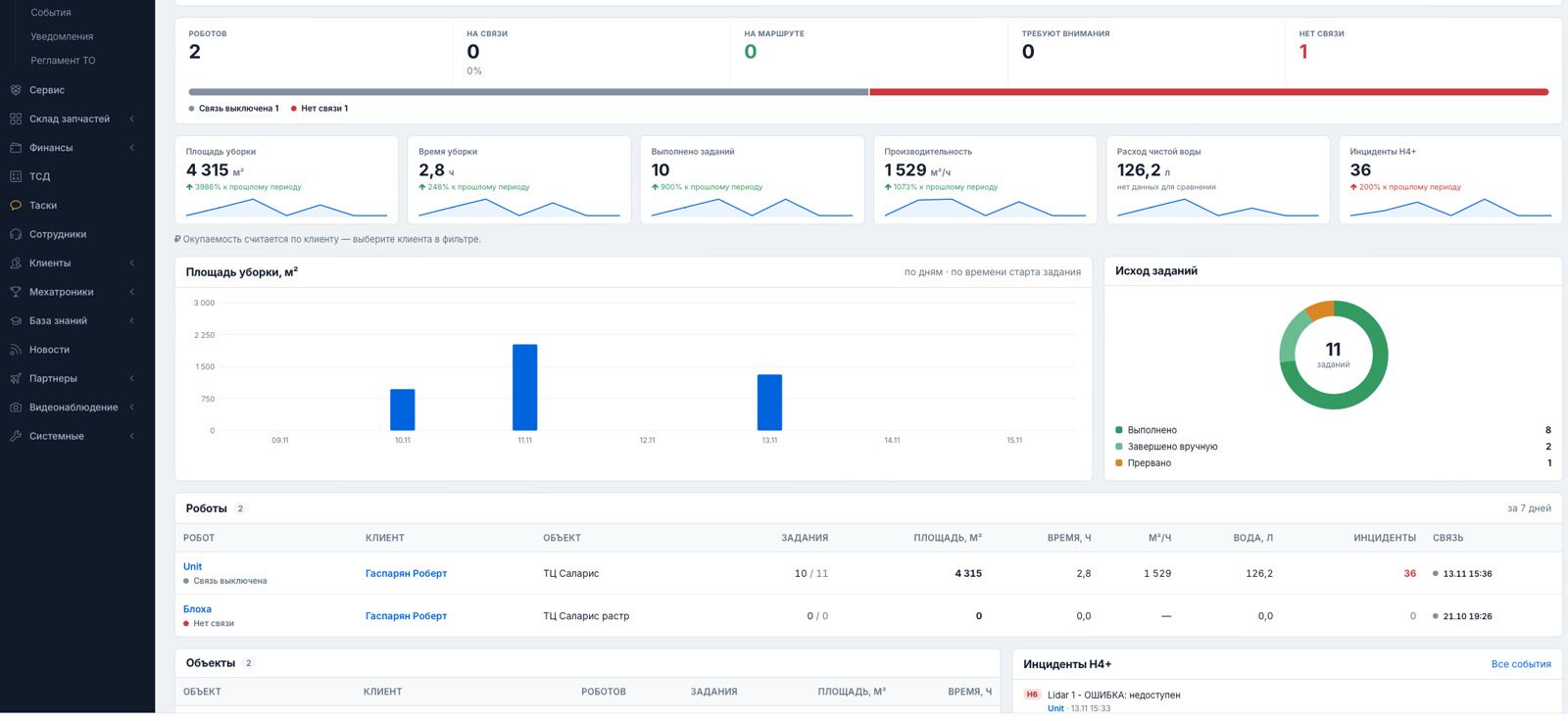
Selling and servicing robots means juggling monitoring, service tickets, engineers, spare parts and invoices across five tools. RMS puts all of it — and all your customers — in one system.
- 2 portalsyour admin + customer accounts
- H0–H7alerts, auto service requests
- Engine hoursmaintenance scheduling
- 1 systeminstead of five tools
The problem: a robot fleet lives in five systems
The robot vendor's app shows tasks and maps. Service requests come by phone and messenger. Engineers are scheduled in a spreadsheet, spare parts in another one, invoices in accounting software, and customer reports are put together by hand.
We ran into this ourselves while servicing our own cleaning robots, and after 8 years of building WMS software we built the system we wanted: one data model for robots, service, parts and money.
What RMS gives a service company
All customers in one window
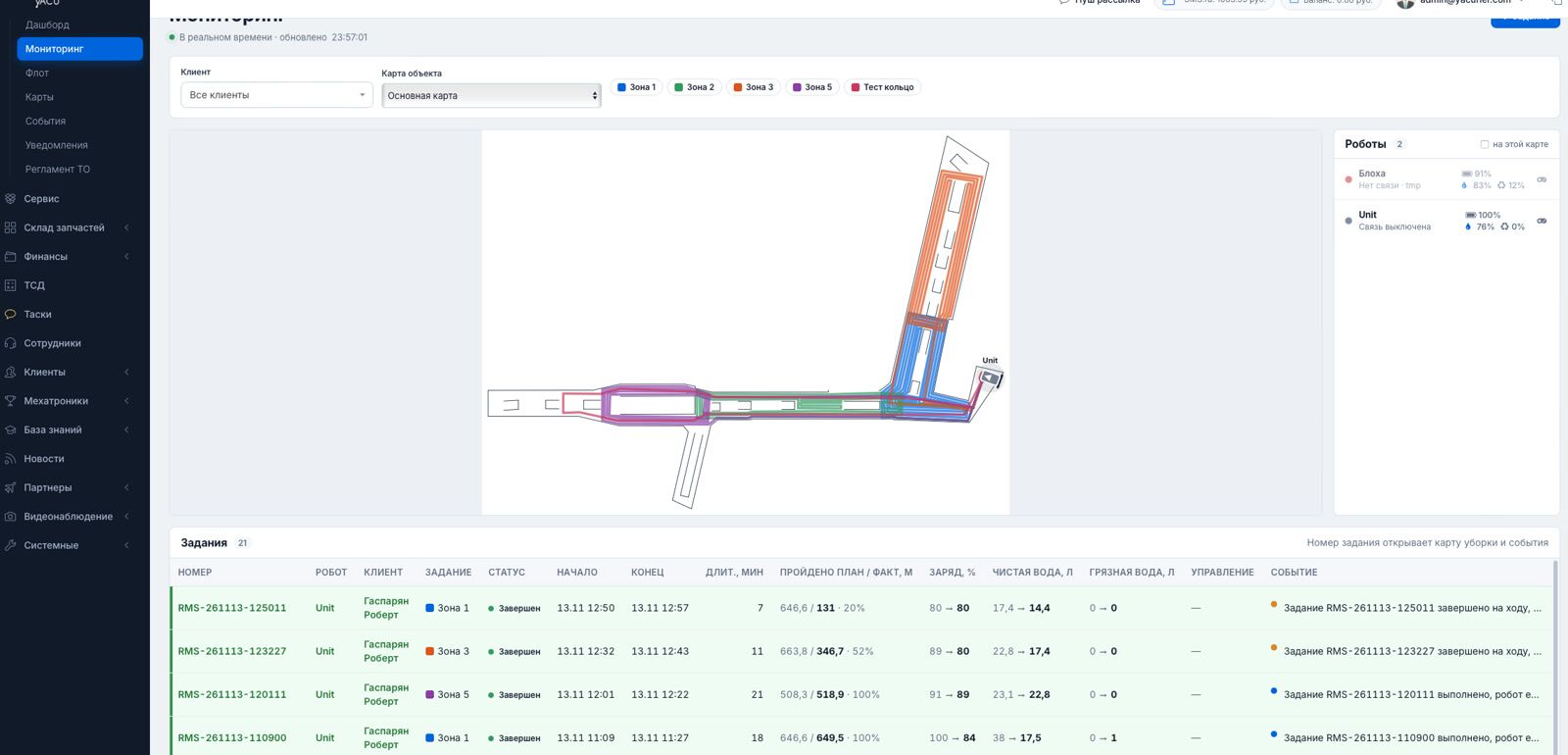
Your admin portal shows robots, tasks, events, requests and invoices across all customers. Each customer gets their own account with only their robots.
Alerts that create tickets
RMS checks the fleet every 30 seconds. Alerts of level H5 and above create a service request automatically — nobody has to notice and call.
Field engineers, ride-hailing style
Staff and freelance engineers see jobs in an app; the one who is closest or on the way takes it and leaves a report with photos.
Maintenance by engine hours
Counters of engine hours, kilometres and cleaned area are matched with the maintenance schedule. Overdue work and warranty status are visible per robot.
Spare parts with real stock
A catalogue with real stock levels; shipments are linked to the robot and the engineer, with bin-location storage on your side.
Balances and invoices
Each customer has a balance. Parts, rental, service and visits are charged from a service library with recommended prices and individual rates.
Reports your customers actually read
- a Telegram report after every route: map, area, time, result;
- a monthly PDF with schedule compliance, incidents, service and coverage heat maps;
- a payback calculation that compares the robot with manual cleaning — a number for the customer's management, not a sales promise.
Customers also get a knowledge base on commissioning, maintenance and spare parts, so fewer questions reach your support line.

RMS vs. the usual toolset
| Usual toolset | RMS | |
|---|---|---|
| Monitoring | Vendor app per robot brand | One window across customers and sites |
| Incidents | Noticed when someone looks | Checks every 30 seconds, automatic service requests |
| Engineers | Calls and messengers | Jobs in an app, nearest engineer assigned, photo reports |
| Maintenance | Calendar reminders | By engine hours, km and cleaned area |
| Parts and billing | Spreadsheets and email | Catalogue with stock, balances, invoices, service library |
| Customer reporting | Manual exports | Telegram after every route, monthly PDF with payback |
Early access program
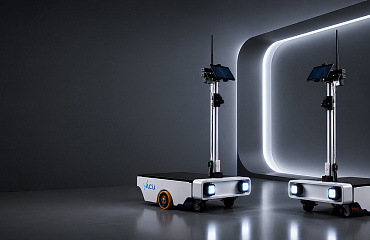
RMS runs our own fleet of Unit cleaning robots today. We are opening it to dealers and service companies step by step.
Tell us about your fleet
Robot brands and models, number of customers and sites, how you run service today.
Connection plan
YaCu robots connect out of the box. Other robots connect through adapters — the core is robot-agnostic and designed for open standards such as VDA 5050.
Pilot
We set up your admin portal and customer accounts and run RMS on part of your fleet.
Frequently asked questions
Which robots does RMS support?
Today RMS works with YaCu Robotics robots (Unit cleaning robots) over our own protocol. Each robot type connects through an adapter, so other manufacturers' robots require an adapter project — tell us which models you run.
Is it a cloud system?
RMS is a web system with two portals: an admin panel for your company and accounts for your customers. Nothing needs to be installed on users' computers.
Can my customers see only their robots?
Yes. Customer accounts show only that customer's sites, robots, tasks, reports and invoices; your admin panel shows everything.
How are field engineers managed?
Engineers use an app where they see jobs, take them, and file a service report with the defect, work done, parts used and photos.
What does it cost?
Pricing for dealers and service companies is set individually during early access, depending on fleet size and the adapters needed.

Tell us about your robot fleet and service operations — we will show RMS on your scenarios.
Or call us: +1 (888) 831-8224